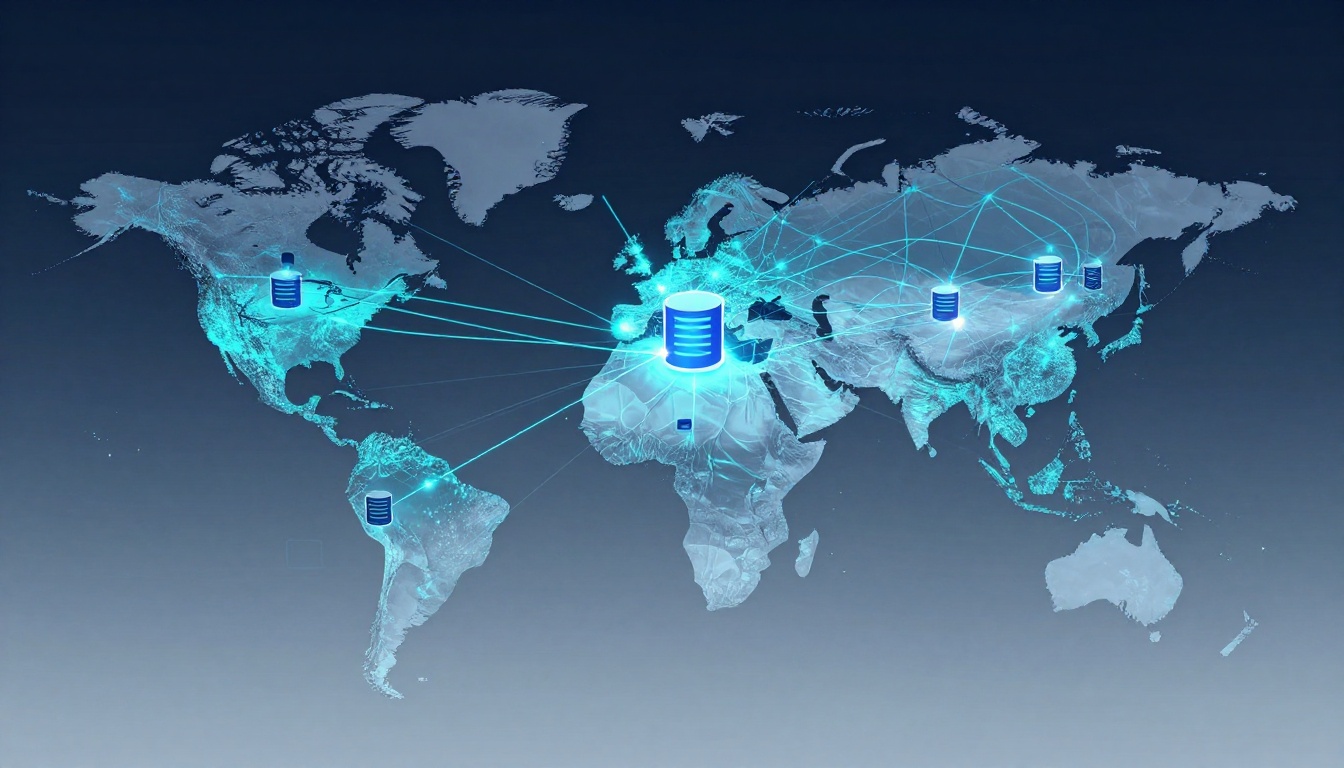
Picture this. A user in Sydney taps your app. They wait five seconds for data because your server sits in Virginia. That delay costs you. Sites lose about 40% of visitors for every extra second of load time.
Content Delivery Networks (CDNs) solve this. They place copies of your content near users worldwide. Your backend gets faster API responses and database pulls no matter the location. We will cover CDN basics, benefits for speed, how to pick one, setup steps, and tips to avoid mistakes. You will gain simple ways to boost performance today.
What Is a Content Delivery Network in Simple Terms?
Think of a CDN like a chain of pizza shops. One central kitchen takes too long to deliver across town. Local shops serve fresh slices right away. A CDN works the same for websites and apps.
It spreads your content across edge servers in many cities. Users grab files or data from the closest one. This cuts wait times. Your main server, called the origin, holds the master copy. Edge servers cache duplicates. They fetch updates only when needed.
CDNs started with images and videos. Now they handle backend tasks too. They proxy API calls and run simple code at the edge. No more long trips over the internet. It’s like taking local roads instead of a crowded highway.
PoPs, or Points of Presence, mark these edge spots. They sit in data centers near users. This setup serves billions daily.
Key Building Blocks of Every CDN
Every CDN has core parts that work together.
Your origin server stores the source. Edge servers sit close to users and hold copies. The caching layer decides what to store and how long.
DNS routing points users to the best edge. Optimization tools compress files and add security. These pieces reduce backend load. Edges handle most requests. Your server rests easier.
How CDNs Handle Static Files vs. Your Backend’s Dynamic Data
Static files like images or CSS cache easily. Users see the same version everywhere. Set a TTL, or time to live, and edges serve it fast.
Dynamic data from your backend changes often. Think user profiles or search results. CDNs use rules to cache safely. They might store results for 10 minutes.
Modern CDNs add edge computing. They process login checks without hitting your server fully. For example, a session token caches per user. This keeps APIs quick worldwide.
This flow shows how edges shorten paths.
How CDNs Make Your Backend Lightning Fast for Users Everywhere
Latency hurts most. It’s the time data travels. CDNs slash it by 50% to 80%. Users in Tokyo load your US-based app in milliseconds.
Backend speed improves too. Fewer requests reach your server. Load spreads out. DDoS attacks bounce off edges. Netflix relies on CDNs for streams. They cover 200 cities.
Key metric? TTFB, or Time to First Byte. CDNs drop it from seconds to under 100ms. Apps, shops, and SaaS tools all win. Customers stay happy.
Slashing Data Travel Time Around the Globe
Without a CDN, data crosses oceans. A US-to-Europe trip takes 100ms or more.
CDNs serve from local edges. That drops to 20ms. Your backend proxies queries at the edge. Databases respond quicker overall.
Users notice. Pages load smooth. Apps feel instant.
Smart Caching to Ease Your Server’s Workload
Cache hits serve instantly from edge. Misses fetch from origin once. Then everyone shares.
Set headers like Cache-Control. Purge old data with APIs. Your server handles millions without sweat.
Scale grows easy. Backend costs stay low.
Surviving Traffic Surges Without Breaking a Sweat
Spikes crash lone servers. CDNs absorb them. Edges auto-scale.
Black Friday sales prove it. Shops serve peaks without downtime. Your backend stays calm behind the shield.
Choosing Your First CDN: What Beginners Need to Know
Start with factors that fit you. Cost runs pay-per-use, often under $10 monthly. Ease matters for new users. Check global reach and backend tools.
Free trials help test. Cloudflare offers a strong free tier. AWS CloudFront ties to AWS. Fastly suits coders. BunnyCDN keeps prices low.
Support counts. Look for docs and chat help.
Popular CDNs Side by Side for Quick Comparison
Pick based on needs. Here’s a snapshot:
| Provider | Strengths | Weaknesses | Starter Price |
|---|---|---|---|
| Cloudflare | Free tier, top security | Steeper learning curve | Free |
| CloudFront | AWS integration, reliable | AWS account needed | Pay-per-use |
| Fastly | Dev tools, fast updates | Higher cost | $50/month |
| BunnyCDN | Cheap, simple | Fewer features | $1/TB |
Cloudflare wins for beginners. It balances cost and power.
Must-Have Features for Backend Speed
Seek low-latency PoPs. Dynamic caching handles APIs. Image tools shrink files.
Real-time stats track wins. Free HTTPS secures traffic. These boost backend flow.
Step-by-Step Guide to Launching Your CDN Today
Ready to start? Follow these steps. They work for most providers.
First, sign up for an account. Add your domain with a CNAME record in DNS. Point it to the CDN.
Next, set cache rules. Static files get long TTLs. Backend paths use short ones.
Turn on security like WAF. Test with GTmetrix.
Adjust as you go. Dynamic content needs care.
From Sign-Up to Live in Under 30 Minutes
Take Cloudflare. Create a free account. Add your site.
Change DNS to their nameservers. It propagates fast.
Set page rules for backend paths. Cache APIs smartly. Go live.
Users see speed right away.
Tools to Measure Your Speed Wins
Pingdom checks global times. WebPageTest runs full tests.
Watch TTFB drop. Core Web Vitals improve. Track before and after.
Tools like this confirm gains.
Pitfalls to Dodge for Smooth CDN Success
Cache personal data? Bad idea. It risks privacy. Use cookies or headers to bypass.
Forget purges? Stale info frustrates users. Set auto-rules.
Skip mobile tweaks? Half your traffic suffers. Optimize images.
Over-rely without fallback? Origin fails, all fails. Monitor logs.
Start small. A/B test changes. Check analytics often.
CDNs fix global speed pains with ease. Pick a simple provider like Cloudflare. Test your setup often.
Backend performance soars worldwide. Try the free tier now. Share your before-and-after speeds in comments. What gains will you see? AI tweaks promise even more in 2026. You got this.