A startup built a hot e-commerce site last year. Sales boomed at first. Then queries slowed to a crawl. Customers left because pages loaded too slow. The problem? They picked the wrong database relationships. Data tangled up everywhere.
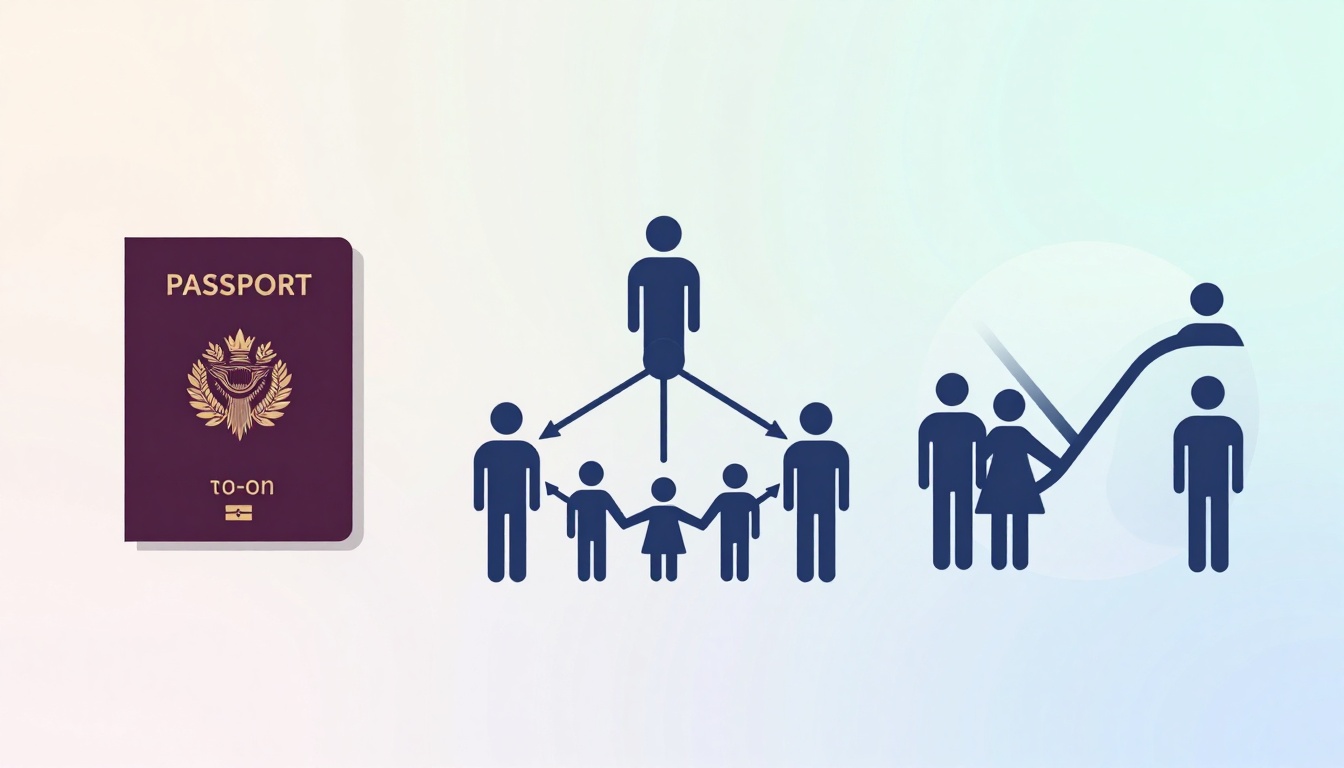
Think of one-to-one like a person and their passport. Each has just one match. One-to-many works like parents and kids. Parents have several children, but each kid has one mom or dad. Many-to-many fits club memberships. Students join multiple classes, and classes have many students.
Pick the wrong type, and you get bloated tables or endless joins that kill speed. Your app suffers. This post breaks down examples, signs to spot each type, and factors like performance. You’ll learn to match relationships to your needs.
Ready to build a database that scales?
Picture Each Relationship Type with Real-Life Examples
Relationships shape how your data connects. They keep things organized. Imagine a simple app for a library. You store books, authors, and users. The right link type makes queries fast.
Start with basics. In databases like MySQL or PostgreSQL, you use foreign keys. These point from one table to another. For more complex links, add junction tables.
One-to-many relationships show up often. An author writes many books. But each book has one author. You put a foreign key in the books table. It points to authors.
Many-to-one flips it. Books belong to one category. Categories cover many books.
Visualize an entity-relationship diagram. Authors table links to books with a line and crow’s foot on the many side. Clean and simple.
Real-world apps thrive on these. E-commerce sites track customers and orders. One customer places many orders.
One-to-One: When Two Records Are Inseparable Partners
One-to-one pairs stay tight. A user account holds login info. A profile table stores private details like SSN. Each user gets one profile. Link them with a shared primary key.
Or consider countries and capitals. USA links only to Washington, D.C. No extras.
This setup boosts security. Keep sensitive data apart. You grant access to profiles separately.
It also fights bloat. Main tables stay lean. Split optional info into its own spot.
Downsides exist. They appear rarely. Overuse them, and you add needless joins.
In SQL, create users table with id. Then profiles with the same id as primary key. Simple insert joins them.
Use this when data must stay exclusive. It prevents overuse of main tables.
One-to-Many: Building Family Trees of Data
One-to-many creates hierarchies. Customers place many orders. Departments manage multiple employees.
Put the foreign key on the many side. Orders table has customer_id. Employees table has department_id.
Queries run smooth. Fetch a customer and all orders with one join. Efficient for reports.
Pros include natural fits for ownership. Blogs have one author, many posts.
Watch for orphans. Delete a customer? Cascade removes orders, or you risk dangling records.
Common in apps. Social media shows users and their posts. Forums link categories to threads.
This type scales well for collections. Add indexes on foreign keys for speed.
Many-to-Many: Linking Crowds Without Chaos
Many-to-many needs a bridge. Students enroll in multiple courses. Courses take many students. Create an enrollments table. It holds student_id and course_id as composite keys.
Add extras there. Enrollment date or grade fits perfect.
Products belong to many categories. Tags link to posts both ways.
Junction tables add complexity. Joins take more time. But flexibility pays off.
Doctors treat multiple patients. Patients see several doctors over time.
In diagrams, lines cross with crows feet both ends. The middle table resolves it.
This handles cross-links best. Apps like Netflix use it for shows and genres.
Spot the Clues: Signs It’s Time for One Type Over Another
Business rules guide your choice. Ask key questions. Does one entity own another fully? Go one-to-one. Expect repeats on one side? One-to-many fits. Links flow both ways? Many-to-many.
Compare them head-to-head.
| Aspect | One-to-One | One-to-Many | Many-to-Many |
|---|---|---|---|
| Matches | Exclusive pairs | One owns many | Mutual groups |
| Keys Needed | Shared PK | Foreign key | Junction table |
| Common Use | Profiles | Orders | Enrollments |
| Query Speed | Fastest | Fast | Slower joins |
This table shows trade-offs quick. One-to-one shines for privacy. One-to-many handles lists. Many-to-many links freely.
Match to scenarios. Normalize user settings with one-to-one. Track sales history one-to-many. Manage tags many-to-many.
Logic drives it. Prototype first.
Go One-to-One If Data Needs to Stay Exclusive and Secure
Look for optional extensions. Users might skip profiles. Or rules demand one match only.
Evolve from one-to-many. Start with all in users. Split sensitive bits later.
Avoid overuse. It adds joins without gain. Reserve for true pairs.
Privacy wins here. GDPR loves separate sensitive tables.
Pick One-to-Many for Natural Hierarchies and Collections
Spot repeating groups. Flat tables with customer orders scream for split.
Ownership triggers it. Departments own employees.
Queries benefit. Group by customer for totals. Fast aggregates.
Migrate from spreadsheets easy. Move columns to child tables.
Choose Many-to-Many When Connections Go Both Ways
Multi-links signal it. Products in several categories.
Cross-references too. Books with multiple authors.
Scale with indexes on junction keys. Denormalize if reads dominate writes.
Weigh Performance, Growth, and Pitfalls for the Winning Pick
Final checks matter. Joins cost time. One-to-one needs fewest. One-to-many one join. Many-to-many doubles up.
Normalization helps. One-to-one reduces redundancy most.
Best practices start with diagrams. Sketch on paper. Prototype queries in your database.
Tools like dbdiagram.io speed this. Test with real data volumes.
Plan for growth. Index foreign keys always.
NoSQL fits if relationships shift often. But stick relational for structure.
| Metric | One-to-One | One-to-Many | Many-to-Many |
|---|---|---|---|
| Joins | 0-1 | 1 | 2+ |
| Storage | Low | Medium | Higher |
| Flexibility | Low | Medium | High |
Use this to score options.
Balance Speed and Joins: How Relationships Affect Your App’s Performance
One-to-one queries fly. Inline or single join.
One-to-many handles well. Eager load children.
Many-to-many slows on big joins. Limit with pagination. Cache results.
Optimize always. Use EXPLAIN in SQL.
Plan for Growth: Scalability Checkpoints for Each Type
One-to-one scales small apps fine.
One-to-many suits millions of records. Partition by parent.
Many-to-many needs care. Shard junctions. Archive old links.
Maintenance stays easy across all. Backups focus on keys.
Steer Clear of Traps That Derail Your Database Design
Cyclic references bite. A owns B, B owns A. Break with one-to-many.
Wrong cardinality bloats. Force one-to-many into many-to-many? Waste.
Skip indexes, queries crawl. Add them first.
Fix with audits. Review schemas yearly.
Relationships match your logic. Test queries early. Iterate based on real loads.
That startup fixed theirs. Switched to proper one-to-many for orders. Speed doubled. Yours can too.
Apply this in your next project. Sketch the diagram today. Share your wins in comments.
What relationship puzzles you most? Drop it below. Check our posts on database basics next.
Right choices build fast apps that grow.